



✨ New
Automatically fill in your CRM fields

The

HubSpot
hubspot logo

-first AI assistant that handles all your repetitive taks.

Our AI Tasks take care of every post-meeting action: notes, CRM updates, follow-up emails, and coaching — with no limits.

I save about 20 minutes per call, that’s 4 to 5 hours per week! Plus, it automatically fills in my custom CRM fields. An absolute must-have for productivity!
enzo colucci
Enzo Colucci
Sales Coach and Cold Calling Expert
Why Cockpit

More than a note-taker: the

HubSpot

hubspot logo

specialized AI Assistant.

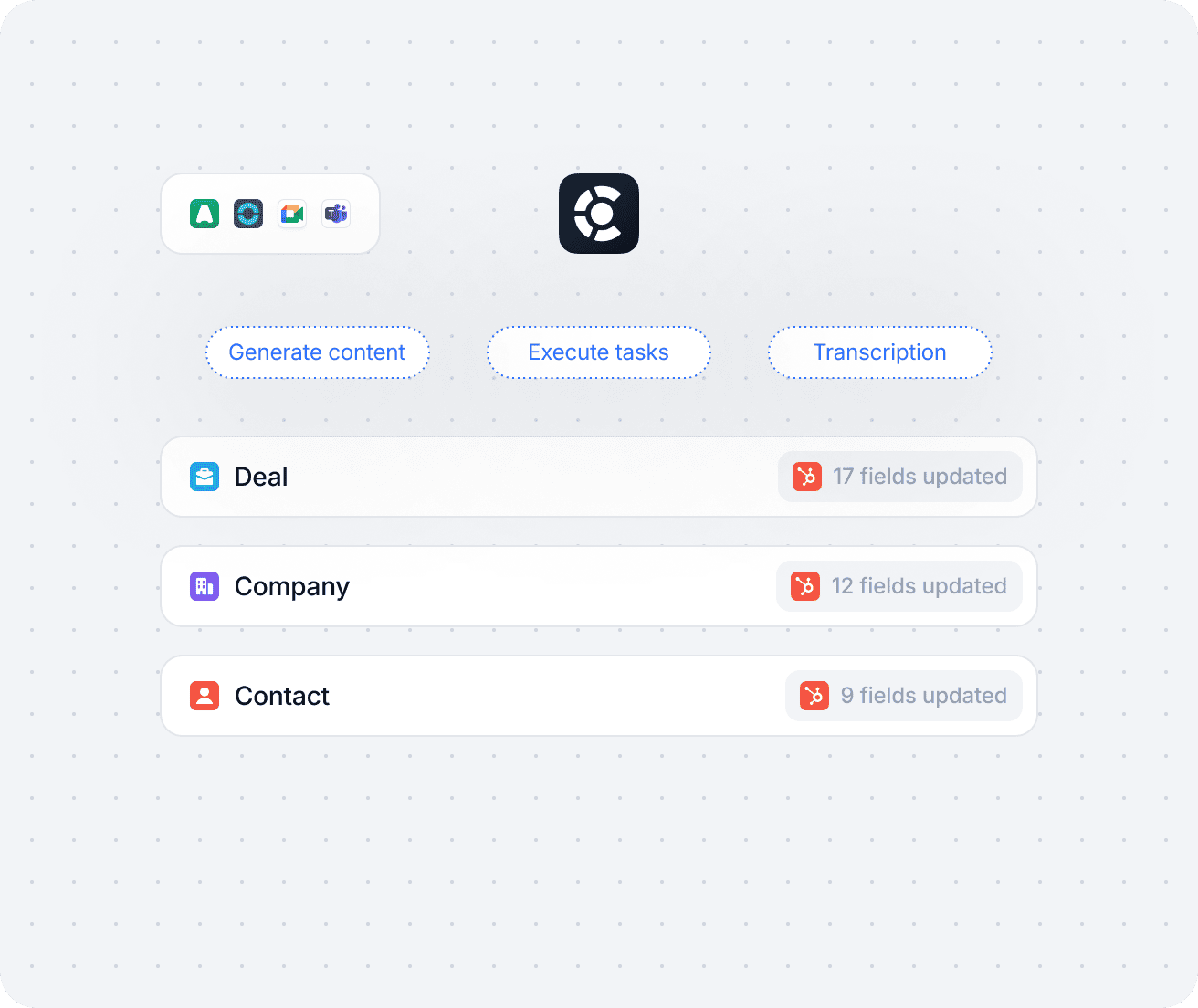
Every call instantly turns into reliable notes, enriched HubSpot fields, follow-up emails and automated coaching. AI Tasks are fully customizable to cover 100% of your use cases.

HubSpot always up to date

Autofill for every field, including picklists and custom fields.

Follow-ups on autopilot

Tasks, opportunities, and reminders created instantly, in the right place.

Continuous improvement

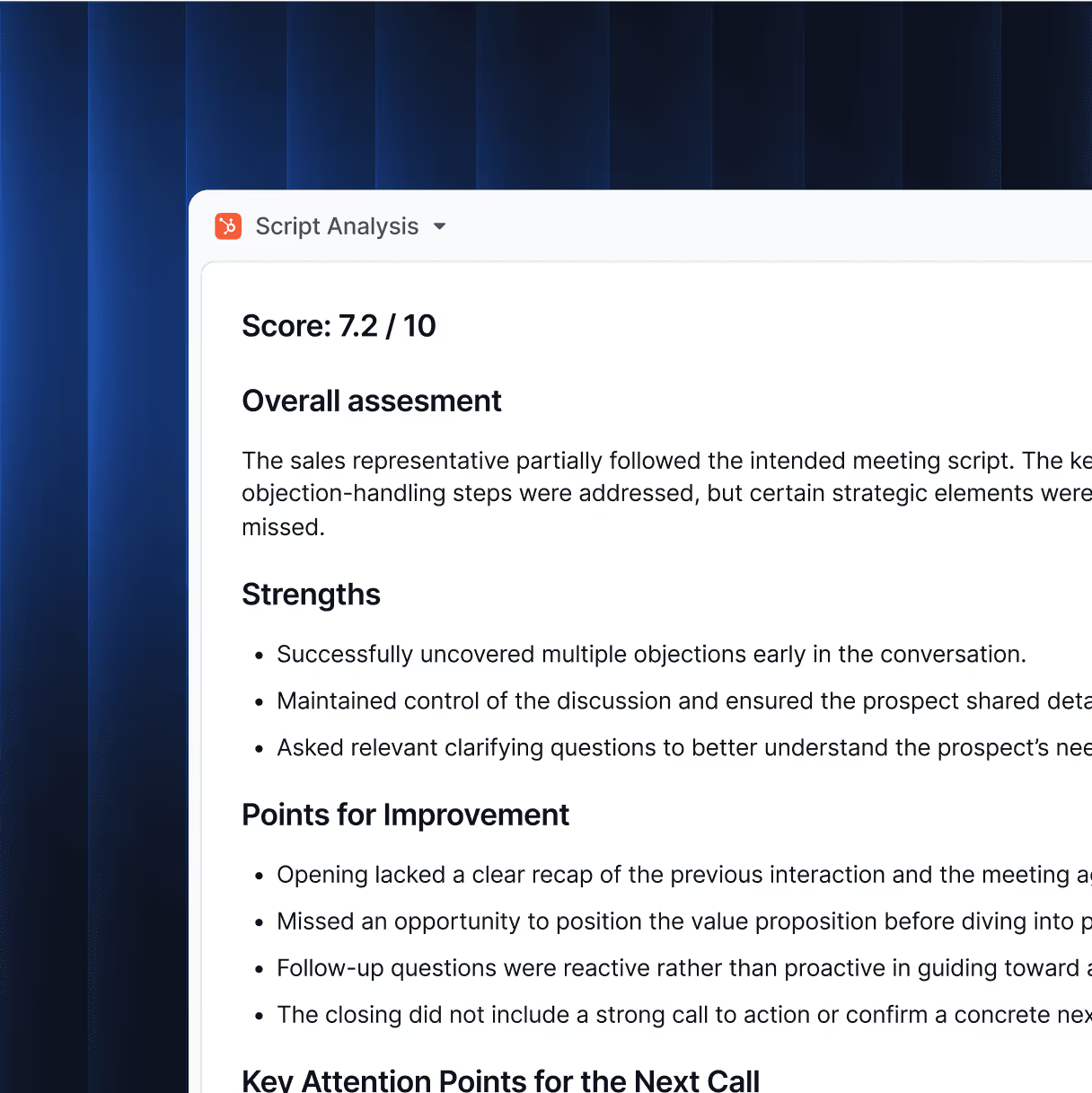
The Coach Task evaluates rep conversations against your playbook and suggests concrete next steps.

Instant activation

Ready-to-use tasks and setup in under 3 minutes.

Our 4 Essential AI Tasks in Action

From notes to coaching, see how AI Tasks automate the work you hate and amplify the work that matters.

How it works

Three steps. Zero friction. Immediate value.
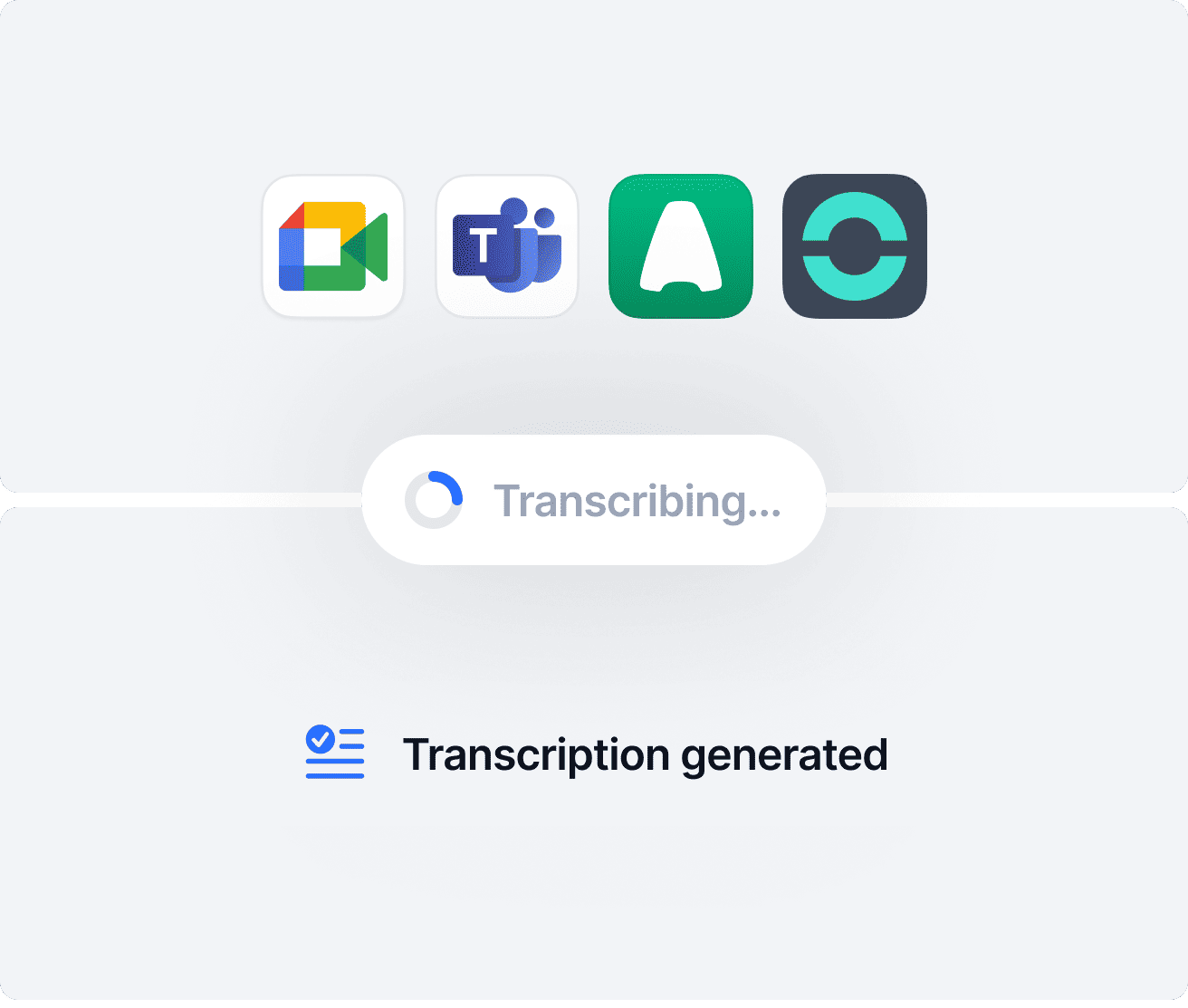
1
Call processing
After hanging up, your audio or video recording is automatically analyzed and transcribed.
2
Task execution
What you used to do manually is executed the second you hang up.
3
CRM synchronization
The right data is automatically shared in the right places in HubSpot.

Pick your AI Tasks. Launch them in one click.

A ready-to-use HubSpot automation library covering your key use cases — exportable to your other business databases.

📝 Note-taking

Generate clear, actionable meeting summaries

AI distills every discussion into structured notes that highlight decisions, next steps, and risks. Ready to share or sync, so no action is ever forgotten.
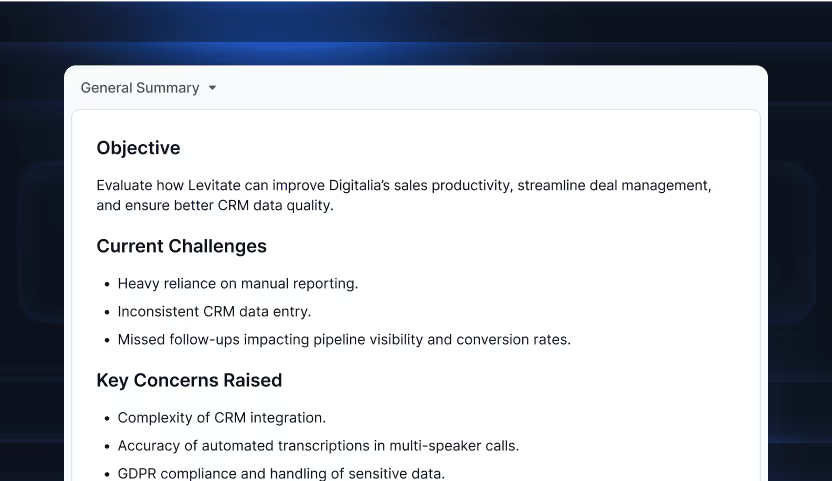
illustration meeting notes
💬 AskAnything

Instantly search and analyze past calls

Query one or many calls to surface answers, patterns, or content. Perfect for quick insights or creating deliverables without manual review.

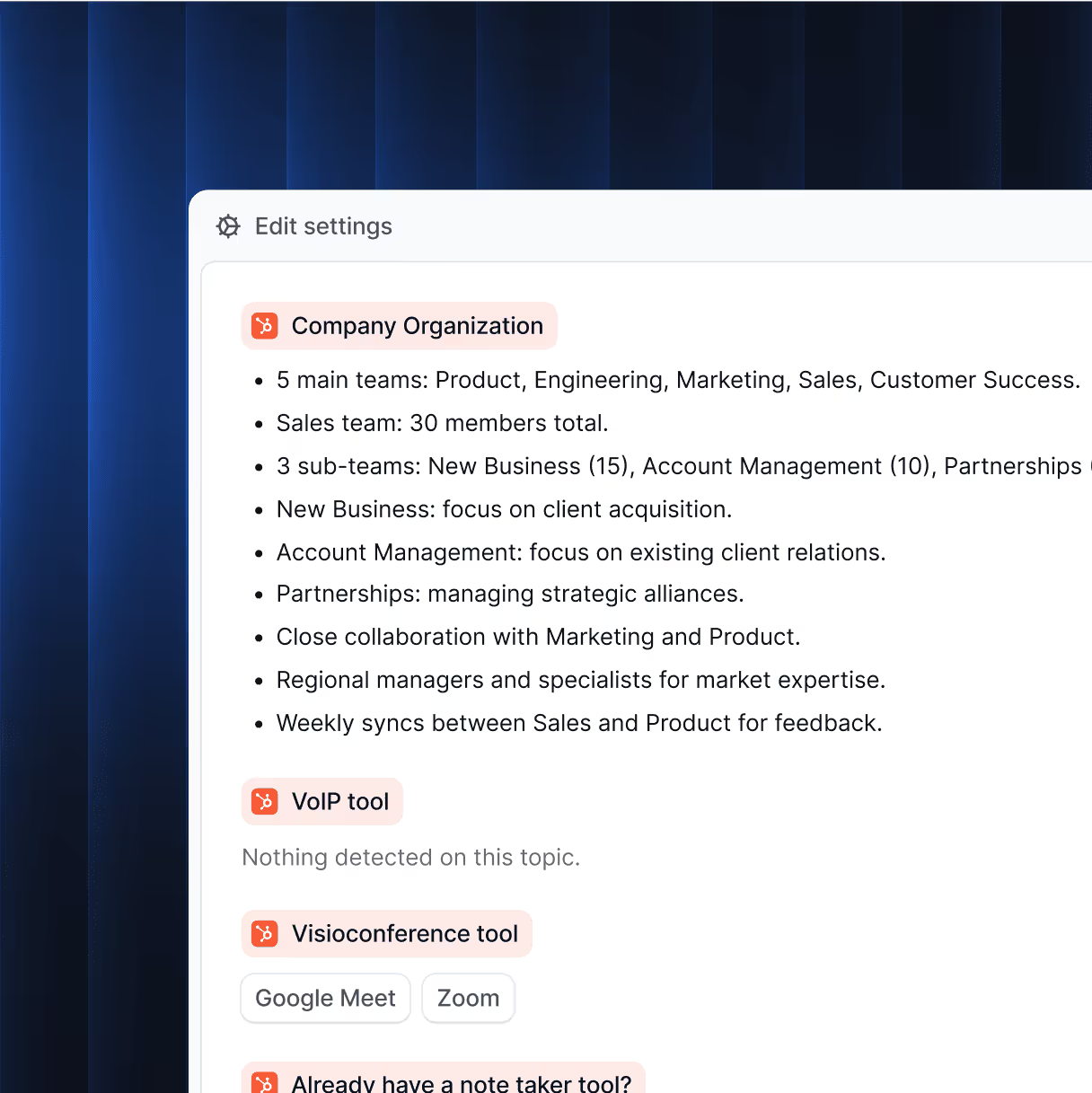
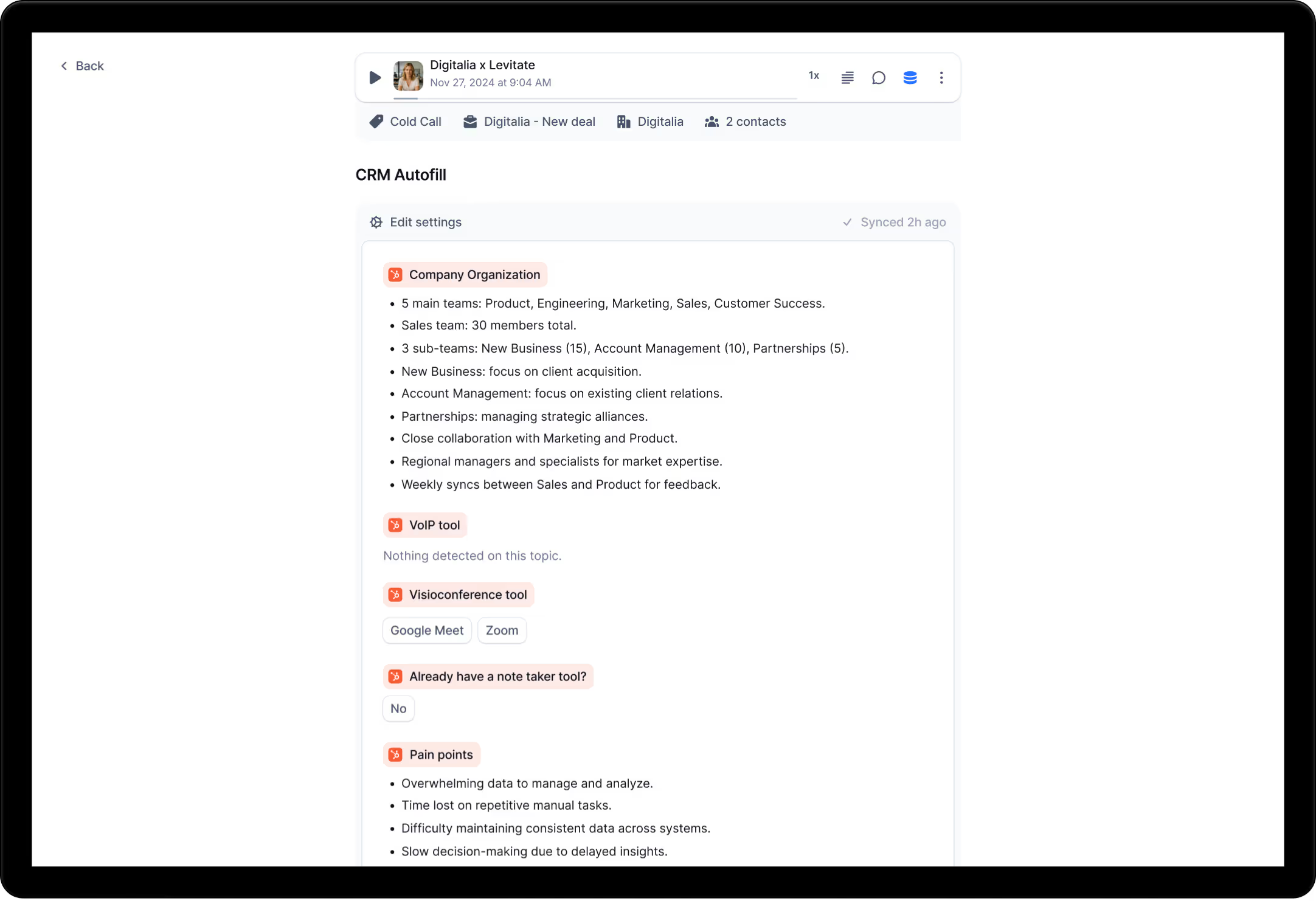
⚙️ CRM Autofill

Auto-fill HubSpot fields with transcript data

AI fills every relevant field, picklist, or object using transcript evidence, ensuring your CRM is always reliable.

illustration crm autofill
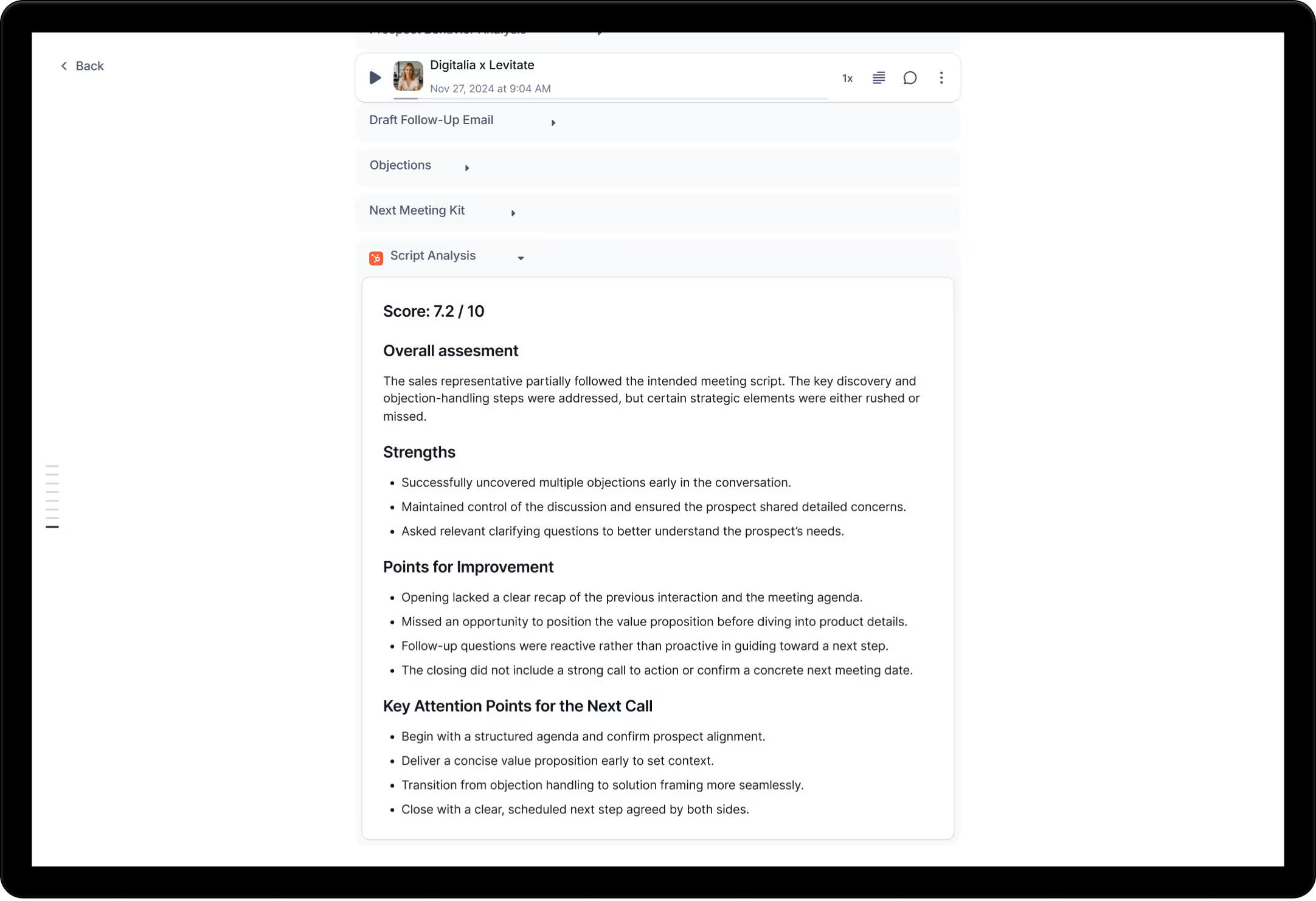
🧠 Coach

Score calls and deliver actionable feedback

Evaluates calls against your playbook, scoring performance and suggesting concrete ways to close gaps.

illustration playbook coverage
📊 Global Insights

Surface trends and pipeline opportunities

Aggregates trends across calls and teams to reveal bottlenecks, pipeline health, and opportunities for optimization.
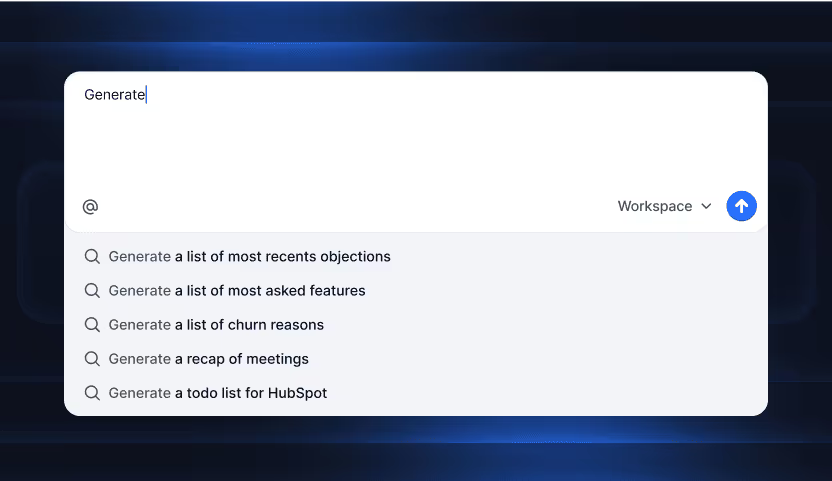
illustration global insights chat request
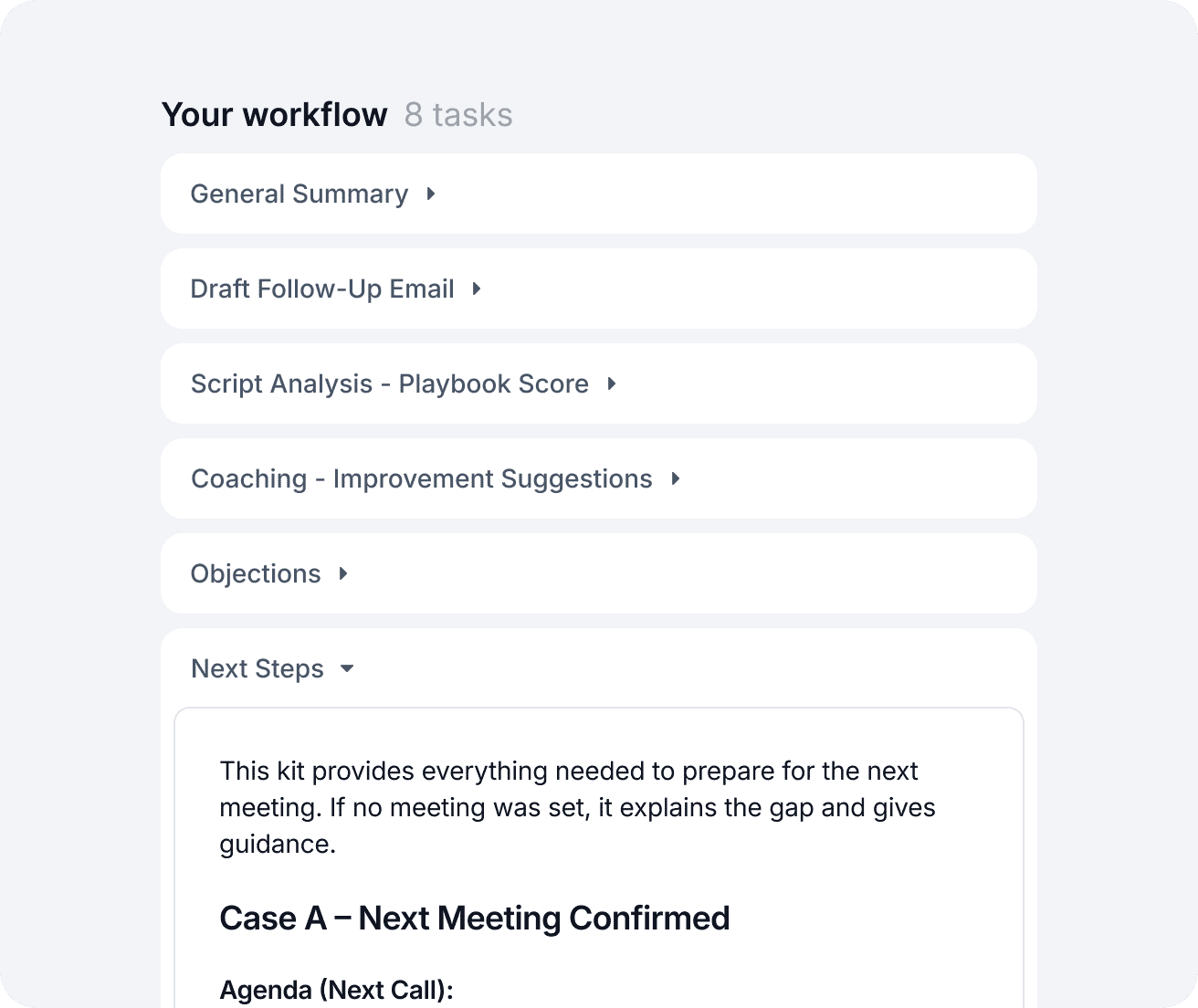
📌 Follow-ups

Instant task creation and assignation

Generates and assigns post-call tasks so your team moves fast without missing details.

💼 Opportunities

Auto-open deals in HubSpot

Spots buying signals and opens a deal with pre-filled fields, saving time and keeping the pipeline current.

🔍 Qualification

Auto-complete BANT/MEDDIC qualification

Fills qualification frameworks automatically, so every deal is scored and prioritized the same way.

illustration workflows
🤝 Client follow-up

Send personalized recap emails with next steps

Crafts tailored recap emails with clear next steps, maintaining momentum and client trust.

illustration next steps
📘 Playbook Coverage

Monitor and report sales playbook adherence

Monitors rep conversations against your sales playbook and reports coverage gaps for continuous improvement.

illustration playbook coverage

100%

HubSpot
hubspot logo


0% distraction.

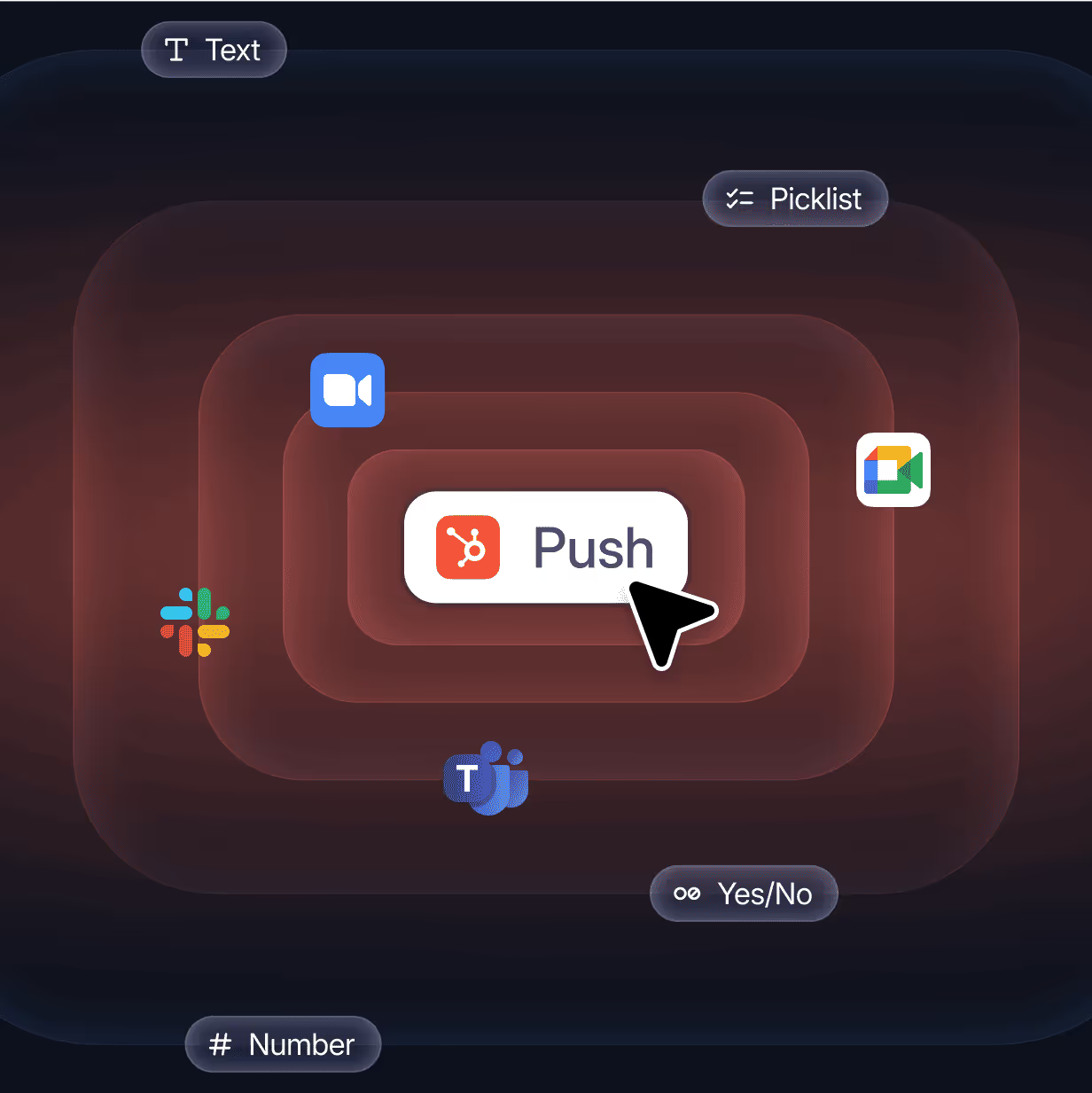
Our deep HubSpot integration keeps your CRM accurate and powerful, no extra clicks, no clutter. AI Tasks harness HubSpot’s full potential while syncing with your other tools, so your data stays fresh everywhere.
Testimonials

They say it better than we do

Cockpit has enabled us to structure our sales process. Before, everything was done verbally. Today, everything is documented and centralized. It's simpler for onboarding, recruitment, and even for creating training content. We waste less time repeating the same thing 50 times.
client avatar scalability
Benjamin
CEO, Scalability
Cockpit has enabled us to halve the onboarding of new employees and improve our conversion rates by 14% in the space of 6 months.
client avatar indy
Coline
Team Lead Sales, Indy
Before Cockpit, we had lots of interesting information in our calls, but it stayed in the recordings. Now, everything is put to use. AI workflows automatically trigger actions in HubSpot based on the topics discussed during the call. If a customer mentions a new need, an opportunity is created without human intervention. It's simple, smooth, and above all, very concrete.
Alex
Sales Ops, Work with Island
Cockpit has enabled us to structure our sales process. Before, everything was done verbally. Today, everything is documented and centralized. It's simpler for onboarding, recruitment, and even for creating training content. We waste less time repeating the same thing 50 times.
client avatar scalability
Benjamin
CEO, Scalability
Cockpit has enabled us to halve the onboarding of new employees and improve our conversion rates by 14% in the space of 6 months.
client avatar indy
Coline
Team Lead Sales, Indy
Before Cockpit, we had lots of interesting information in our calls, but it stayed in the recordings. Now, everything is put to use. AI workflows automatically trigger actions in HubSpot based on the topics discussed during the call. If a customer mentions a new need, an opportunity is created without human intervention. It's simple, smooth, and above all, very concrete.
Alex
Sales Ops, Work with Island
It's a huge time-saver and a huge coaching lever for managers. For sales reps, it means freedom: you focus on your exchange, you make progress on your own, and you don't look like an idiot because you forgot a number. And above all, you can step back without the pressure of having the manager in the call.
client avatar flease
Rodrigue
Head of Sales, Flease
We tested several call intelligence solutions before Cockpit, but none of them integrated well with our HubSpot process. What impressed us was Cockpit's ability to automatically fill in our CRM fields after each call. No one spends 10 minutes doing data entry anymore, and the information is always up to date. It has become second nature for the whole team.
Jean Baptiste
Head of Sales, Waresito
What I like about Cockpit is that it's not just a transcription. The AI really understands the context of the call and provides actionable summaries: next steps, risks, topics discussed... And all of this is automatically synced in HubSpot. I've easily saved 30 minutes a day, and our reports are finally reliable.
Lucas
General Manager, ESG
It's a huge time-saver and a huge coaching lever for managers. For sales reps, it means freedom: you focus on your exchange, you make progress on your own, and you don't look like an idiot because you forgot a number. And above all, you can step back without the pressure of having the manager in the call.
client avatar flease
Rodrigue
Head of Sales, Flease
We tested several call intelligence solutions before Cockpit, but none of them integrated well with our HubSpot process. What impressed us was Cockpit's ability to automatically fill in our CRM fields after each call. No one spends 10 minutes doing data entry anymore, and the information is always up to date. It has become second nature for the whole team.
Jean Baptiste
Head of Sales, Waresito
What I like about Cockpit is that it's not just a transcription. The AI really understands the context of the call and provides actionable summaries: next steps, risks, topics discussed... And all of this is automatically synced in HubSpot. I've easily saved 30 minutes a day, and our reports are finally reliable.
Lucas
General Manager, ESG
I support my sales people via Cockpit, coaching on the basis of their calls. Without Cockpit, it might have taken us two months longer, or the collaboration might not have worked. You save an incredible amount of time, you have better control over speeches, you can better track post-meeting actions, and you can better organize your CRM. There are so many benefits at every level.
client avatar l'express
Arthur
Delegated General Manager, L'Express
Cockpit's AI Tasks have literally changed the way we follow up. Rather than manually noting down actions to be taken after a call, the AI identifies them and automatically assigns them to the right person in HubSpot. The result: fewer oversights, greater responsiveness, and, above all, sales reps who can focus on deals.
Alexis
Sales Ops, Les Big Boss
The difference between Cockpit and other call analysis tools is the level of integration. Everything is designed for HubSpot. We connected our custom fields in 10 minutes, and now Cockpit updates them automatically based on call exchanges. It's a real game changer for the quality of our data.
Raphaël
General Manager, Synapsio
I support my sales people via Cockpit, coaching on the basis of their calls. Without Cockpit, it might have taken us two months longer, or the collaboration might not have worked. You save an incredible amount of time, you have better control over speeches, you can better track post-meeting actions, and you can better organize your CRM. There are so many benefits at every level.
client avatar l'express
Arthur
Delegated General Manager, L'Express
Cockpit's AI Tasks have literally changed the way we follow up. Rather than manually noting down actions to be taken after a call, the AI identifies them and automatically assigns them to the right person in HubSpot. The result: fewer oversights, greater responsiveness, and, above all, sales reps who can focus on deals.
Alexis
Sales Ops, Les Big Boss
The difference between Cockpit and other call analysis tools is the level of integration. Everything is designed for HubSpot. We connected our custom fields in 10 minutes, and now Cockpit updates them automatically based on call exchanges. It's a real game changer for the quality of our data.
Raphaël
General Manager, Synapsio

Quick FAQ

Got questions? We’ve got answers. Here are the most common points about Cockpit, HubSpot, and our AI Tasks.

Do I need a long setup?

No. Default tasks work out-of-the-box. Connect HubSpot and your calendar, and you’re ready in minutes.

What about data security?

Your data is encrypted, stored in Europe, and you keep full control over task-level permissions.

Can we create our own AI Tasks?

Yes. Start from our ready-made templates and customize in a few clicks — no coding needed.

Is Cockpit just a note-taker?

No. Cockpit also automates CRM updates, creates tasks & opportunities, and provides coaching aligned to your frameworks.

What if we have specific use cases?

No limits: every use case is covered thanks to our AI Task library, or by creating your own templates.

How is Cockpit different from other note-takers?

Most note-takers stick to packaged features and basic HubSpot integration. That means your use cases remain limited. Cockpit is the HubSpot-first solution: 100% of your use cases are covered, with unlimited CRM automation powered by our exclusive HubSpot specialization.

SSL technologies
GDPR compliant

Security is our top priority.
Cockpit is audited and certified according to the highest industry standards.

Designed with security in mind. Cockpit follows industry best practices to keep your data safe and your conversations private.

Start for free today.

Build AI agents in minutes to automate workflows, save time, and grow your business.